
Create custom function with WPCodeBox or similar:
function op_variable_price() {
    global $product;

    if (! $product) {
        return '';
    }

    // Simple product → return normal Woo price
    if ($product->is_type('simple')) {

        $regular = $product->get_regular_price();
        $sale    = $product->get_sale_price();

        // No sale → show regular only
        if (! $sale || $sale == $regular) {
            return '<span class="price-regular">' . wc_price($regular) . '</span>';
        }

        // Sale exists → show sale + crossed regular
        return
            '<span class="price-regular"><del>' . wc_price($regular) . '</del></span>' .
            ' <span class="price-sale">' . wc_price($sale) . '</span>';
    }


    // Variable product → compute min/max prices
    if ($product->is_type('variable')) {
        $min_regular = $product->get_variation_regular_price('min', true);
        $min_sale    = $product->get_variation_sale_price('min', true);

        // If no sale price → show regular only
        if (! $min_sale || $min_sale == $min_regular) {
            return '<span class="price-regular">' . wc_price($min_regular) . '</span>';
        }

        // Sale price exists → show sale + crossed regular
        return '<span class="price-regular"><del>' . wc_price($min_regular) . '</del></span>' .
            ' <span class="price-sale">' . wc_price($min_sale) . '</span>';
    }

    return '';
}


add_filter('bricks/code/echo_function_names', function() {
    return ['op_variable_price'];
});
At the bottom we will use add_filter to register function with BricksBuilder. Then in BricksBuilder we will use/call this function with:
{echo:op_variable_price()}
We can use basic text element for that.
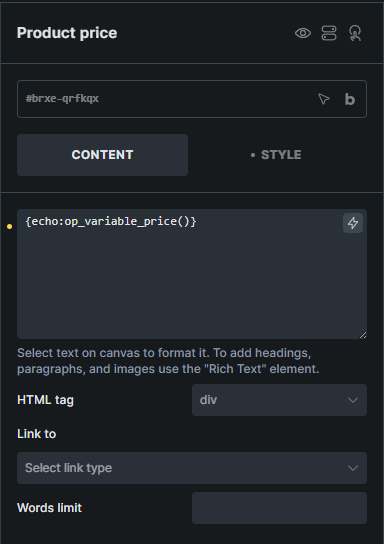
For styling:
.price-regular {
    color: #9c02e3;
    font-size: 1.8rem;
    font-weight: 700;
}
.price-sale {
    color: #fa2742;
    font-size: 1.8rem;
    font-weight: 700;
}